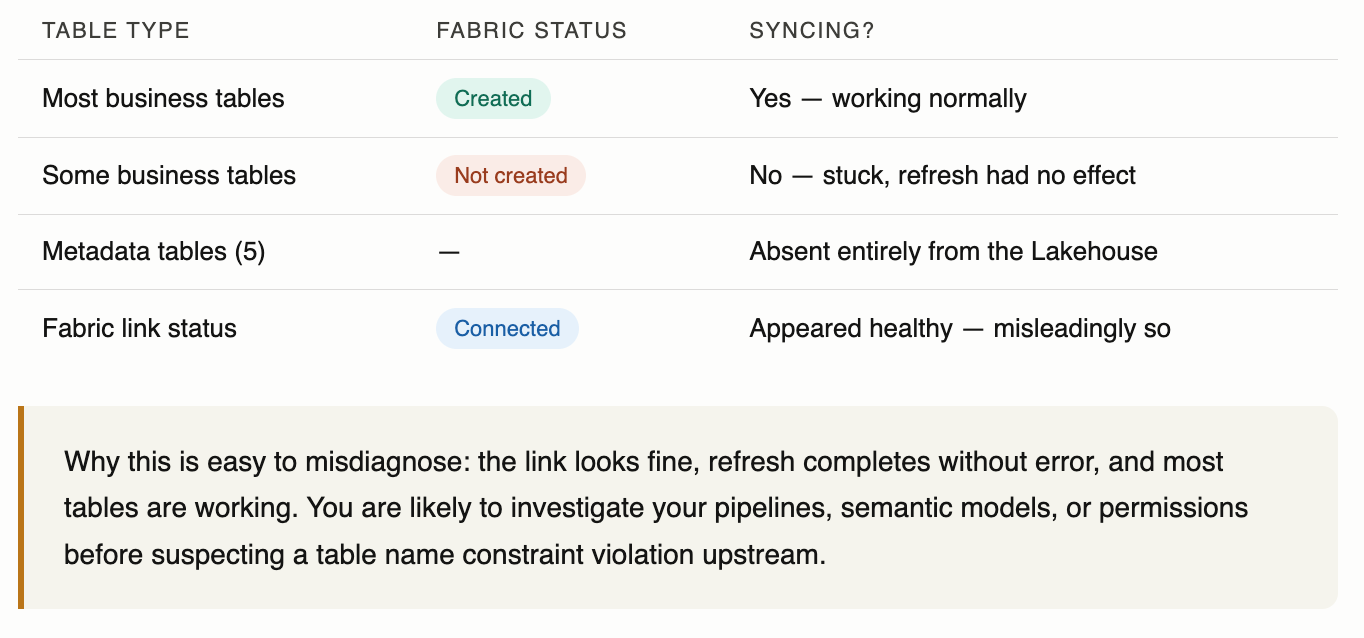
The Dataverse–Fabric link showed as connected. Triggering a refresh completed without error. Yet some tables sat permanently on "Not created" in the Fabric status column, and the five core metadata tables had simply vanished from the Lakehouse.
No broken link. No alert. Refresh running — just doing nothing.
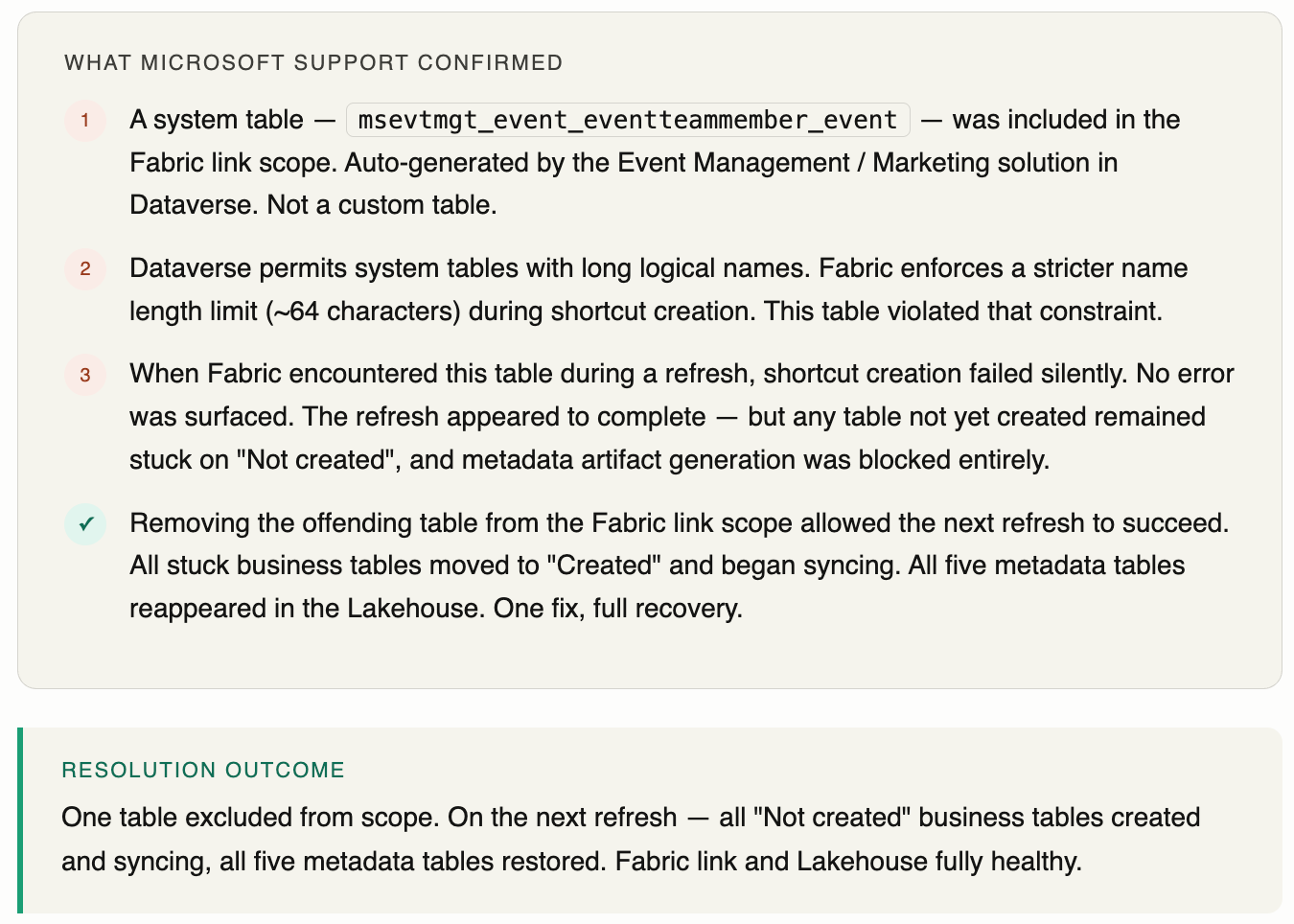
This is the kind of silent failure that sends you down the wrong path fast. Here is exactly what was happening, what caused it (confirmed by Microsoft Support), and how one exclusion resolved everything.
What the Fabric status column was showing
The picture was mixed — which is precisely what made it hard to diagnose. Some tables were perfectly fine. Others were stuck. And the metadata tables were not even in the list.
The root cause
How to fix it
- Audit your Fabric link scope for system or solution-generated tables with logical names that may exceed ~64 characters. Event Management / Marketing solution tables are a known risk.
- Exclude the offending table from scope. Trigger a manual refresh and watch the Fabric status column — stuck tables should move to "Created" within the cycle.
- Excluding these tables has zero impact on Dataverse functionality or the underlying application. It only affects what is available for analytics in Fabric.
How to spot this pattern in future
- Fabric link appears connected and refresh completes without error — but some tables are permanently on "Not created" and metadata tables are absent. This combination is the signature of this exact issue.
- The fact that most tables are fine is a red herring — tables already created before the constraint violation was introduced continue to sync. Only new shortcut creation is blocked.
- Before blaming pipelines or permissions, check whether a new Dynamics 365 solution was recently added to the environment and introduced a long-named system table into scope.
- Keep Fabric link scope deliberately narrow — only tables your downstream pipelines and semantic models actually consume.
The broader picture
The current behaviour — where a single table with a name that is too long causes refresh cycles to silently skip shortcut creation for all new tables — is a known integration gap tracked by Microsoft. The right long-term fix is graceful handling: skip the offending table, surface a clear warning in the Fabric UI, and continue creating shortcuts for everything else.
Microsoft have raised a product idea for this. If this issue has affected your reporting, CI/CD pipelines, or production deployments, your vote and a short comment on the real-world impact will directly influence how the product group prioritises it.
Call to action — vote on Microsoft Fabric Ideas
Customer votes and real-world impact descriptions are key signals the Fabric product group uses when setting priorities. If this has hit you in production, take 60 seconds to vote and leave a comment.